Aim for a 20 KB maximum file size using browser-based compression.
Resize Image to 20KB
Compress an image to 20KB or less with automatic format and dimension optimization.
✓ No signup✓ No watermark✓ Built for speed
What this example shows
20 KB is a tight budget for thin lettering. Use the fictional stroke sample to check whether resizing keeps the lines continuous. Its original is 600 × 200 and already below 20 × 1024 bytes; resizing is useful here only when smaller pixel dimensions are also required.
A complete workflow
For this example, enter 300 × 100, choose JPG, select 20 KB and turn auto-resize off. After export, inspect the thin blue curve and small sample label. These are test settings, not a specification for any application form.
If the result is wrong
If strokes disappear, return to the original and preserve more pixels or use PNG if permitted. A file that meets the byte limit but loses important marks is not a useful result. Do not pad a file to reach exactly 20 KB.
Try a reproducible example
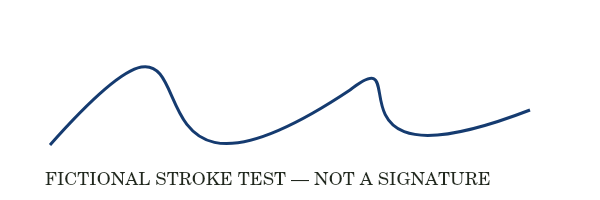
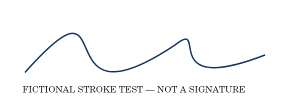
Reference run: JPG output, auto-resize off. Sizes are bytes, not rounded KB.
- Original: 15,924 B
- Export: 8,450 B · JPG · 300 × 100 px
How these examples were measured
These fictional test images were created for ListSite. Reference JPGs were produced by the same compressor code with a native Skia canvas test harness, not a browser benchmark. Sizes below describe these exact downloads. Your browser encoder and original image may produce different results. These examples do not establish OCR accuracy, AI quality or official form acceptance.