JPG vs PNG vs WebP: Which Should You Use?
Choose a format for photos, screenshots, transparent graphics and application uploads, then check the exported result.
Updated 23 October 2026Start with the destination
A smaller file is useful only if the receiving website can open it. Before converting, check its accepted formats, pixel dimensions and file-size limit. A form that accepts JPG does not necessarily accept WebP. Renaming photo.webp to photo.jpg does not convert the image; use an actual converter. Keep your original so you can create another export if the first choice does not work.
JPG for photographs
JPG is a practical starting point for ordinary photographs without transparency. It reduces file size by discarding some image information. At low quality, look for block patterns, halos around edges and smudged lettering. Compare faces, hair and fine text at the intended display size. Export from the original whenever possible: repeatedly editing and saving an already compressed JPG can compound visible damage.
PNG for sharp graphics and transparency
PNG preserves pixels without JPG-style loss and supports transparent areas. It suits logos, diagrams and screenshots with flat colors or small text. A photograph saved as PNG can be much larger than a JPG. Converting a blurry JPG to PNG will not recover missing detail. If you convert transparent artwork to JPG, inspect the background: JPG has no transparency and the tool must flatten those areas.
WebP for compatible web workflows
WebP supports both lossy and lossless encoding and can retain transparency. Its file-size advantage depends on the image and encoder settings; it is not automatically the smallest choice for every picture. Modern browsers support it, but a document portal, desktop application or older publishing system may reject it. Test the exported file in the actual destination before replacing your existing assets.
A useful comparison method
Use the same source and pixel dimensions for each export. For a photo, compare JPG and WebP; for a logo, compare PNG and a transparent WebP. Record the downloaded size, inspect important edges at 100% zoom, and check the required background. There is no universal quality percentage that guarantees a particular number of KB. Choose the smallest acceptable result rather than the lowest possible quality.
A format change can make this chart larger
Compare the original chart PNG (151,886 bytes) with the 1200 × 800 JPG reference (203,390 bytes). Both depict the same chart at the same dimensions. The PNG is smaller here because this synthetic pattern and the selected JPG settings favor different encodings. This does not establish that PNG is always smaller for photographs.
Look at the small lower label and boundaries between color patches at 100% zoom. If the original is accepted and already below the destination limit, keep it. Convert only for a real format or size requirement, and compare the actual exports instead of assuming a newer extension guarantees savings.
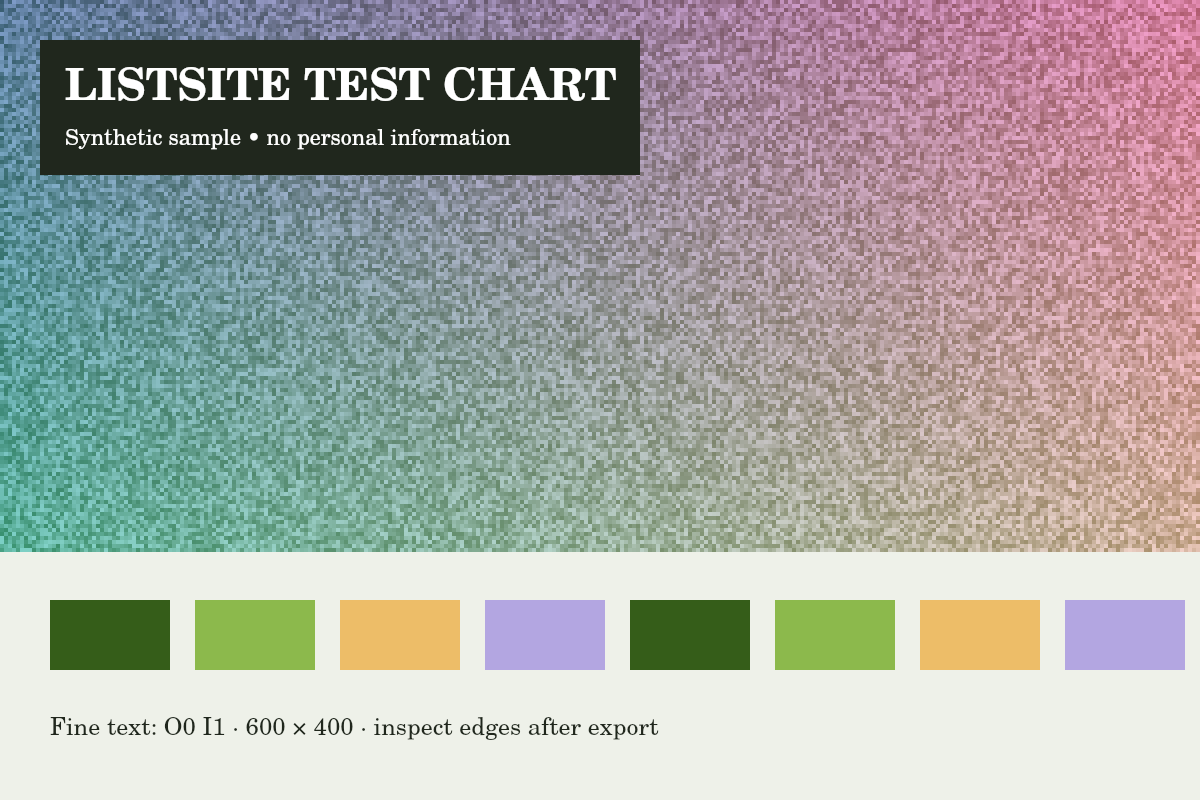
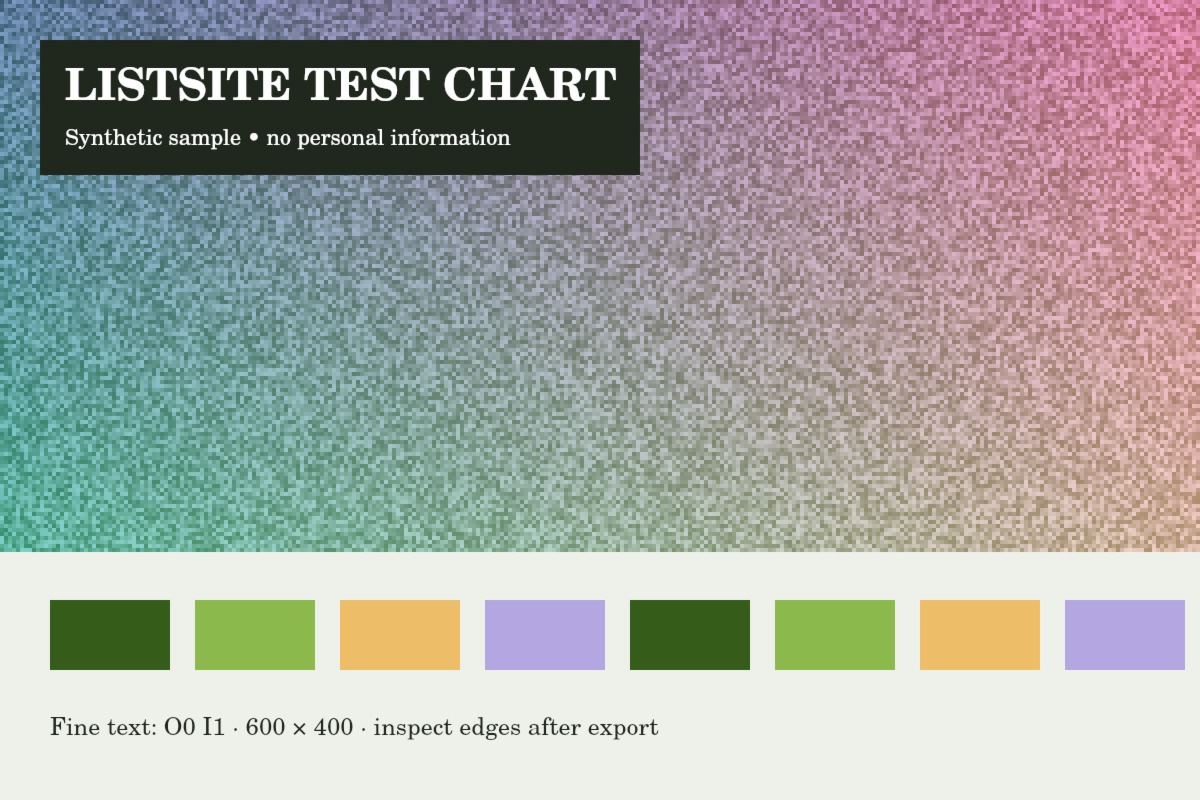
Reference run: JPG output, auto-resize off. Sizes are bytes, not rounded KB.
- Original: 151,886 B
- Export: 203,390 B · JPG · 1200 × 800 px
How these examples were measured
These fictional test images were created for ListSite. Reference JPGs were produced by the same compressor code with a native Skia canvas test harness, not a browser benchmark. Sizes below describe these exact downloads. Your browser encoder and original image may produce different results. These examples do not establish OCR accuracy, AI quality or official form acceptance.
Try the tools
Found an unclear step or a mistake? Contact ListSite with the page and what needs correcting. Keep private documents out of your report.
Contact